
Students & Admissions
Move from admission enquiry to an organised student record.
Explore module →Bring admissions, student records, academics, attendance, fees and school communication into one thoughtfully organised workspace. Less switching between systems. More time for what matters.
Explore real workflows. No unverified automation promises.
A detailed set of tools for the people, processes and records that keep your school running.
Move from admission enquiry to an organised student record.
Explore module →Organise sections, subjects, teachers and weekly lessons.
Explore module →Record daily attendance and keep leave requests organised.
Explore module →Create challans, collect payments and follow outstanding balances.
Explore module →Record assessment results and present clear academic outcomes.
Explore module →Publish coursework, collect files and provide meaningful feedback.
Explore module →SEMS-ERP connects everyday records to the people who use them. A student profile brings together relevant academic, attendance, fee and document information while school dashboards surface operational priorities.
Follow a practical, connected school workflow.
Review applications, enrol students and maintain their profiles.
Set up classes, sections, subjects and weekly timetables.
Record attendance, publish assignments and manage fees.
Explore exam results, operational reports and school analytics.
Administrators, principals, teachers, accountants, parents and students see different areas of the platform according to their assigned access.
Oversight and administrative actions
Classes, attendance and coursework
Fees and financial records
Linked student information and tasks
Explore the feature workflows and see an illustrative preview of the SEMS-ERP experience. For an accurate demonstration of your school's requirements, speak to our team.
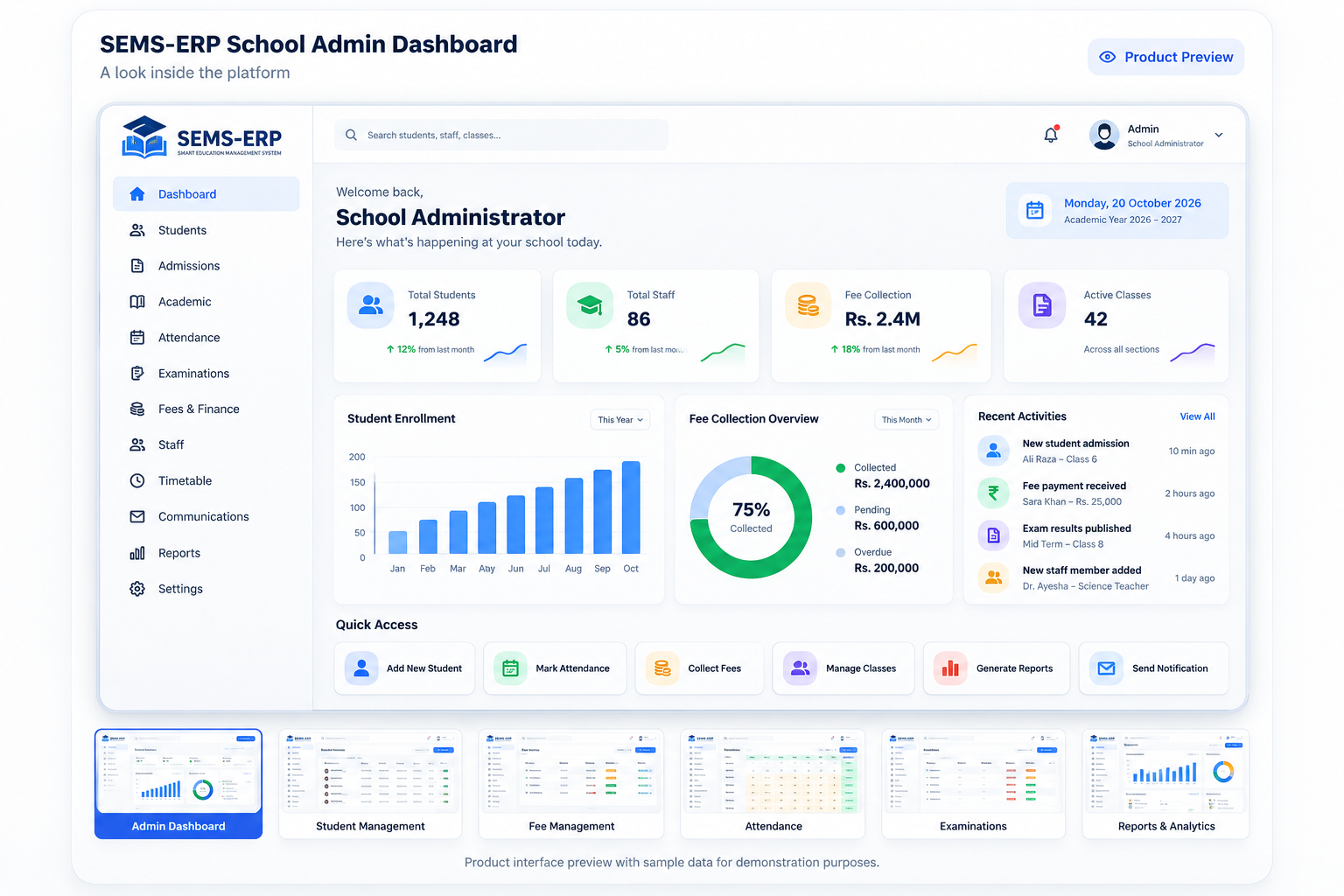
See how everyday tasks translate into usable records and follow-up actions.
Move applications through review decisions, enrol approved candidates and maintain complete student profiles.
Explore the workflow →Organise class sections and teachers, enter marks, manage coursework and review academic results.
Explore the workflow →Prepare challans, record received payments, print receipts and identify outstanding balances.
Explore the workflow →Take daily attendance, publish assignments and provide feedback on student submissions.
Explore the workflow →Review operational dashboards, student distributions, attendance and assessment reports.
Explore the workflow →Access linked student information, view available report cards and follow assignments.
Explore the workflow →Whether your priority is attendance, fee collection or student records, a guided conversation can focus on the processes your team handles every day.
Admissions: How does an approved applicant become a student?
Attendance: How do teachers save a class roll call?
Finance: How are challans, payments and receipts linked?
Academics: How are marks entered and report cards printed?
Every school department has its own routine. SEMS-ERP gives each team a dedicated workflow while keeping relevant student and operational information available in connected views.
Record an applicant’s requested grade, previous-school details and guardian information. Track decisions through review and enrol approved applicants into student records.
Read the detailed workflow ↗Define classes, sections, rooms and subjects. Allocate lessons to teachers and check for room, teacher and class conflicts when saving a timetable slot.
Read the detailed workflow ↗Take daily roll call, create subject assignments, attach learning materials, review student submissions and record marks with remarks.
Read the detailed workflow ↗Prepare monthly challans, generate class-wide batches, record payments against vouchers and print receipts while reviewing unpaid balances.
Read the detailed workflow ↗Inspect enrolment distribution, attendance reports, financial information and assessment summaries; export relevant data to CSV.
Read the detailed workflow ↗A credible product demonstration should make the everyday processes clear—not just show a polished dashboard.
Review the application statuses, approval action, student creation and Student 360 record.
See how it works →Inspect the teacher, room and class-section conflict checks when a timetable slot is saved.
See how it works →Follow challan generation, manual payment entry, reference recording and receipt printing.
See how it works →Explore linked child information, printable vouchers, exam views and student assignment submissions.
See how it works →A management platform earns its place by making routine tasks clear, repeatable and reviewable. Explore the actual steps supported in SEMS-ERP rather than relying on broad feature labels.
Review applicant information, record admission decisions, enrol approved candidates and maintain a student record with guardian, academic, attendance, fee and document views.
Explore admissions →Prepare individual or class-wide fee challans, print bank-style vouchers, record received payments and review outstanding balances. Payment processing is not presented as a gateway.
Explore finance →Teachers create coursework with deadlines and attachments. Students submit work through their portal, and teachers record scores and written feedback.
Explore coursework →The product tour introduces real workflows and clearly labels illustrative material. Ask for a guided demonstration to inspect the live interfaces relevant to your school's requirements.
Tell us about your school's needs and we'll discuss the workflows and modules that matter most.